 Top Reviewed
AMAZON
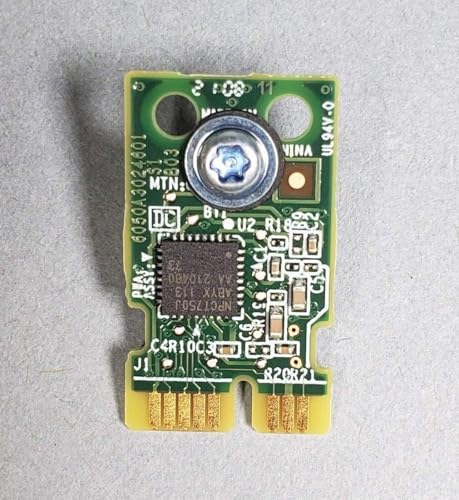
TPM v2.0 Module for PowerEdge 15th Generation Servers (R750/R650/R7525/R6525)
See on Amazon
Features
As described by the manufacturer on Amazon.
- Compatible with PowerEdge R650, R750, R6525, R7525 and other 15th generation PowerEdge servers with TPM connector/slots.
- After it is installed, the TPM module is cryptographically bound to that particular system board. When the system is powered on, any attempt to remove an installed TPM plug-in module breaks the cryptographic binding, and the removed TPM cannot be installed on another system board. Ensure any keys you have stored on the TPM have been securely transferred.
- To install the TPM, align the edge connectors on the TPM with the slot on the TPM connector. Insert the TPM into the TPM connector such that the plastic rivet aligns with the slot on the system board. Press the plastic rivet until the rivet snaps into place. Replace the screw that secures the TPM to the system board.
- To initialize the TPM. Press F2 to enter System Setup during boot. Navigate to System BIOS > System Security Settings. Change TPM Security option to On. Save & restart. Navigate back to the BIOS> System Security to verify the TPM is active and make any additional changes. Intel(R) TXT should be set to enabledin CPU settings
- Ships in a sealed anti-static bag
More Computers & Accessories Picks
Loading products…